Day trading moves fast. Charts change, volatility increases, setups appear and disappear, and traders often need to make decisions within minutes or even seconds.
That is why choosing the right day trading software matters. A good tool can help you analyze price action, identify opportunities, test strategies, manage trades or automate repetitive tasks.
But no platform can replace a trading plan, sound risk management or discipline. The goal is not to collect dozens of tools. It is to build a trading environment that helps you make clearer decisions.
Here are eight types of software and platforms worth knowing.
What Is Day Trading Software?
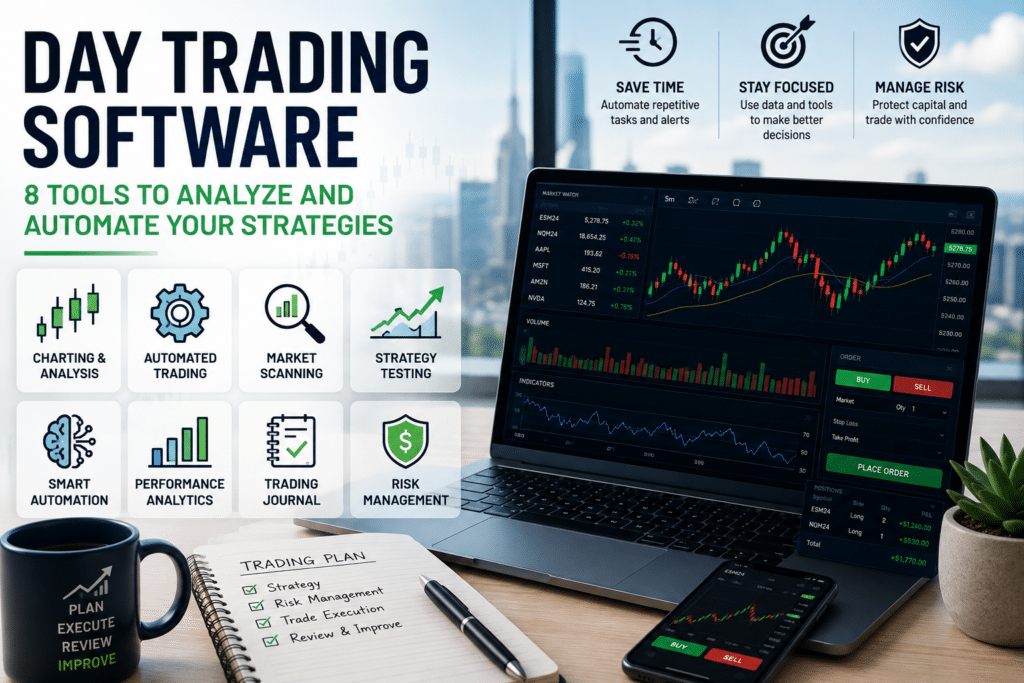
Day trading software refers to digital tools used to analyze markets, execute trades, test strategies, monitor positions or automate parts of the trading process.
Some platforms combine several functions, while others specialize in one area such as charting, backtesting or automation.
The right choice depends on the markets you trade, your strategy and how much control you want to keep over execution.
It is also important to understand the risks involved. FINRA notes that day trading requires knowledge of both securities markets and a brokerage firm’s order-execution systems and procedures.
The right day trading software should match your trading style, experience level and the markets you follow.
1. TradingView — Charting and Technical Analysis
TradingView is one of the best-known charting environments for traders.
It provides interactive charts, technical indicators, drawing tools, alerts and access to numerous markets. Traders can create custom indicators and strategies using Pine Script.
Its main strength is versatility. Beginners can start with relatively simple charts, while experienced users can build much more sophisticated analysis.
For day traders who rely heavily on technical analysis, a flexible charting platform is often the foundation of their setup.
2. MetaTrader 5 — Trading and Automation
MetaTrader 5 combines charting, order execution, technical indicators and algorithmic trading capabilities.
Its Expert Advisors can automate predefined strategies, while its testing environment allows traders to evaluate automated systems against historical data.
Automation should not be confused with guaranteed performance. A strategy that performs well historically can behave very differently under changing market conditions.
For traders interested in both manual and automated execution, however, MetaTrader remains an important platform to understand.
3. NinjaTrader — Advanced Trading and Futures
NinjaTrader is particularly well known among active futures traders.
It combines advanced charting, trade execution, strategy development and simulation features. Traders can use its tools to analyze intraday markets and develop more systematic approaches.
Its range of functions can make it more complex than a basic charting solution, so beginners may need time to learn the environment.
4. ProRealTime — Technical Analysis and Strategy Testing
ProRealTime focuses heavily on charting and technical analysis.
It includes indicators, market scanners and tools for creating and testing trading systems. Its backtesting capabilities can be particularly useful when a trader wants to examine how a set of predefined rules would have behaved historically.
This can help move a strategy from intuition toward a more structured process.
5. TrendSpider — Automated Technical Analysis
TrendSpider takes a different approach by automating parts of technical market analysis.
Its tools can assist with chart analysis, scanning, alerts and strategy testing. Automation of analytical tasks can be useful for traders monitoring several markets or looking for specific conditions.
The important distinction is that automated analysis does not eliminate the need for judgment. Software can identify conditions; the trader still needs to decide whether they fit the broader strategy.
6. Trade Ideas — Market Scanning
Trade Ideas is designed largely around stock scanning and identifying market activity.
Instead of manually checking hundreds of securities, traders can use scanners to filter markets according to predefined criteria.
For active stock traders, this type of day trading software can save considerable time. But a scanner produces candidates, not automatically good trades. Every result still needs to be evaluated within a coherent trading strategy.
7. QuantConnect — Algorithmic Trading and Research
QuantConnect is aimed more at traders and developers interested in quantitative and algorithmic approaches.
It provides an environment for researching, testing and developing systematic trading strategies using code.
This makes it considerably more technical than a standard charting platform, but it demonstrates how far trading automation can go: from simple alerts to complete rule-based systems.
8. TraderVue — Trading Journal and Performance Analysis
TraderVue addresses another part of trading that is easy to overlook: reviewing what happened after the trade.
A trading journal can help identify recurring mistakes, analyze performance and compare results across different setups.
This also connects directly with trading psychology. A trader may discover, for example, that poor decisions happen more frequently after a loss, during periods of overtrading or when deviating from the original plan.
Software is not only useful for finding trades. It can also help you understand your own behavior.
How to Choose the Best Day Trading Software
The most sophisticated platform is not necessarily the best one for you.
Before choosing, consider:
- Markets: stocks, forex, futures, commodities or other assets?
- Analysis: do you need advanced charts, scanners or simple indicators?
- Execution: will you trade directly through the platform?
- Backtesting: do you want to test rules against historical data?
- Automation: do you need alerts, partial automation or algorithmic execution?
- Cost: does the subscription make sense for your actual needs?
- Complexity: will additional features improve your decisions or simply create noise?
Your software should support your method rather than dictate it.
Can Day Trading Software Automate Your Strategy?
Yes, but automation exists at several levels.
A simple alert can notify you when price reaches a specific level. A scanner can search hundreds of instruments. A trading algorithm can potentially identify conditions and execute orders automatically.
The more control you delegate to software, the more important testing and risk controls become.
This is especially important because day trading itself carries significant risk. FINRA warns that it can produce large and immediate losses and that trading on margin may result in losses beyond the initial amount invested.
Technology can improve speed and consistency. It cannot make a weak strategy profitable simply because it has been automated.
Build a Trading Setup, Not a Collection of Tools
Choosing day trading software does not mean using every tool available. There is no need to use all eight platforms.
One trader might need a charting platform, broker and journal. Another may add a scanner or backtesting solution. An algorithmic trader will require an entirely different environment.
Your choice should also reflect the different types of financial markets you trade. Tools designed primarily for stocks may not be the most appropriate choice for forex, futures or other markets.
The best day trading software is ultimately the one that fits your strategy, provides the information you actually need and helps you execute decisions consistently.
Software can analyze, scan, test and automate.
The trader still has to decide what deserves to be traded.